
VIRALab – LimeSurvey Password Recovery
Go to https://forlilpsi.limesurvey.net/admin
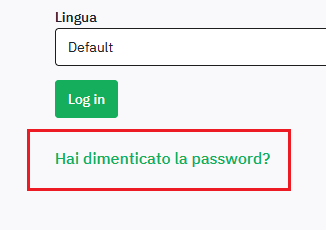
and select Forgot your password? (in the Italian interface: “Hai dimenticato la password?”).
Enter the requested details and select Check data (“Controllare i dati”).
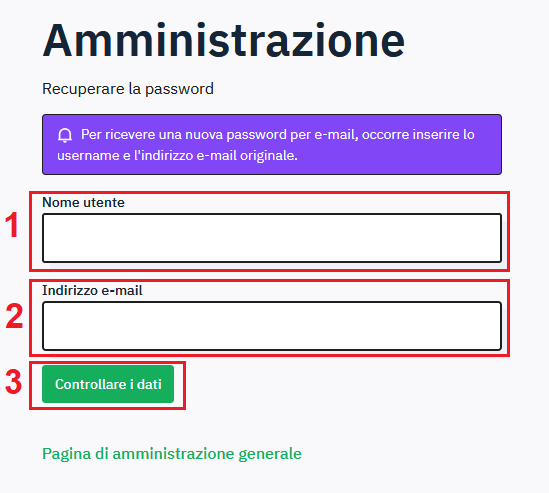
An email containing a link to set a new password will be sent to the address associated with your account.
Click the link to open the page where you can enter a new password.
Each password must contain at least eight characters, including at least one uppercase letter (A–Z) and at least one digit (0–9).
Important: for security reasons, the password-setting link is temporary and should be used as soon as possible.
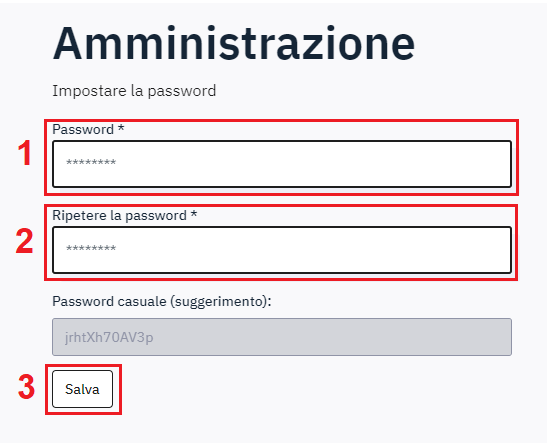
After activation, log in to the FORLILPSI Department’s LimeSurvey platform at https://forlilpsi.limesurvey.net/admin using your new credentials.
Last update
16.11.2026